PAYMENTS
What Is BPAY? How Australia's Domestic Bill-Payment System Works
BPAY's Role in Australia
BPAY is Australia's established domestic bill-payment system. First launched in 1997, it was designed for one specific purpose: allowing customers to pay registered billers through their existing online banking service. It was not designed for instant person-to-person transfers or real-time settlement — those needs are now served by the NPP and Osko. BPAY's strength lies in its structured approach to bill payment and reconciliation.
BPAY is a separate payment scheme from the NPP. It predates the NPP by over 20 years and operates on its own infrastructure. In 2022, BPAY, eftpos and NPP Australia were brought together under Australian Payments Plus (AP+), creating a unified domestic payments organisation.
How a BPAY Payment Works
A BPAY payment follows a six-step process:
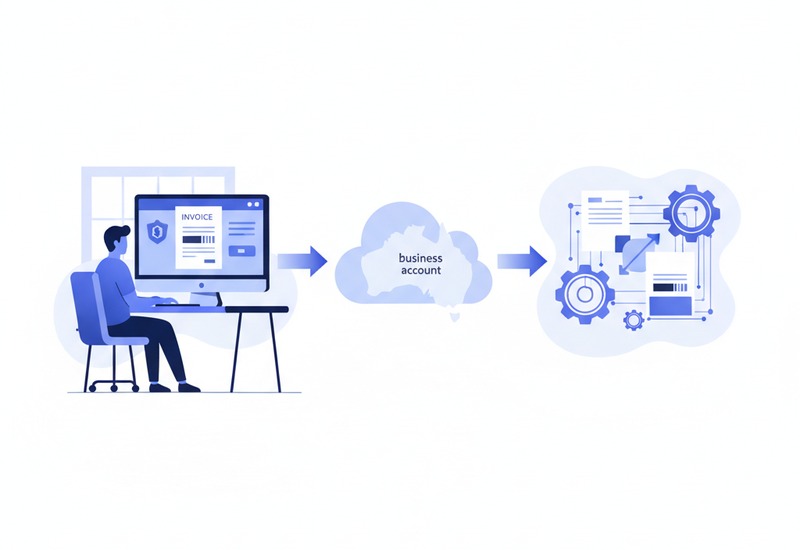
- A business issues an invoice containing its Biller Code and the customer's unique Customer Reference Number, or CRN. These two pieces of information are all the customer needs to make the payment.
- The customer selects BPAY in online banking. Most Australian banks offer BPAY as a standard option alongside transfers and Pay Anyone.
- The customer enters the Biller Code, CRN and amount. The Biller Code identifies the business being paid. The CRN identifies the specific customer, account or invoice.
- The customer selects the payment date. BPAY allows scheduling — a customer can pay today or choose a future date, which is useful for bills with a due date.
- The bank processes the payment. Depending on the bank and the time of day, BPAY payments may take one to two business days to reach the biller. This is different from NPP payments, which are typically real-time.
- The biller receives funds and reconciliation information. The biller's bank provides a payment information file that matches each payment to the correct CRN, enabling automated reconciliation.
What Is a Biller Code?
A Biller Code is a unique number that identifies a registered BPAY biller. It is typically four to six digits and appears on every invoice from that business. For example, a large utility company will have one Biller Code that appears on all customer bills. Customers do not need to remember Biller Codes — they simply copy them from the invoice when making a payment.
What Is a Customer Reference Number?
The Customer Reference Number, or CRN, is the critical piece that enables automated reconciliation. It identifies the specific entity for which the payment is being made:
- The customer: A unique number assigned to each customer, so all payments from that customer are matched to their account.
- An account: If a customer has multiple accounts or properties with the same biller, a different CRN may be used for each.
- An invoice: Some CRNs are unique to each individual invoice, ensuring payment is matched to exactly the right bill.
- A specific payment obligation: This could be a particular instalment, fee or charge.
CRNs can be structured in different ways. A fixed CRN stays the same for every bill from that customer — common for ongoing accounts like electricity or internet. A variable or intelligent CRN changes with each bill and may encode information about the billing period, amount or account type, allowing the biller's system to automatically match the payment without manual intervention.
This is BPAY's key advantage: a valid CRN can dramatically reduce manual payment matching. Large billers processing thousands of payments per day rely on CRN-based reconciliation to operate efficiently.
Consumer Benefits
- Payment through existing online banking: No need to create accounts on separate bill-payment websites or apps. BPAY is built into every major Australian banking platform.
- No separate application needed: Unlike some international bill-payment services, BPAY does not require downloading or registering for anything beyond your normal banking.
- Ability to schedule payments: You can set a BPAY payment for a future date, matching your bill's due date without needing to remember to log in that day.
- Payment receipt: Your bank provides a receipt or reference number for each BPAY payment, giving you a record of what was paid and when.
- Centralised payment history: All BPAY payments appear in your regular bank statement alongside other transactions.
Business Benefits
- Structured customer references: CRNs allow automated matching of payments to accounts and invoices, reducing manual data entry.
- Easier reconciliation: Payment information files from the bank include the CRN, amount and date for each payment, enabling direct import into accounting and billing systems.
- Reduced unidentified deposits: A valid CRN eliminates the problem of receiving payments with no way to identify which customer or invoice they relate to.
- Support for large billing volumes: BPAY is designed for high-volume billers — utilities, telecommunications companies, insurers, councils and education providers.
- BPAY View: Some billers offer BPAY View, which delivers bills digitally to the customer's online banking instead of by post or email.
BPAY Versus PayID
These two services solve different problems:
- BPAY is designed around registered billers and invoice references. It excels at reconciliation — matching payments to specific customers and invoices using CRNs. It typically takes one to two business days to process.
- PayID is designed around an easy-to-remember account identifier. It provides faster transfer capability through the NPP — typically seconds rather than days. It is suitable for sending money to a person or business but does not natively provide the structured reconciliation features of BPAY.
BPAY Versus PayTo
- BPAY is normally initiated by the customer. The customer sees a bill, logs into online banking and makes the payment.
- PayTo allows a business to initiate payments after the customer has authorised an agreement. This is more suitable for recurring, ad hoc and digitally initiated payment arrangements.
- BPAY is particularly suited to traditional bill and invoice payments where the customer manually pays each bill.
- PayTo is suited to automated, recurring and checkout-based payment flows — closer to the direct debit and card-on-file models.
Continue Learning About Australia's Domestic Payments System